
Atlarix for VS Code
An AI coding agent in your editor
Atlarix works in VS Code, Cursor, Kiro, Windsurf and VSCodium, with any model. Ask it to build, fix or explain something; every edit opens in the editor’s own diff and waits for your yes.
Free to install · macOS, Windows, Linux · any model
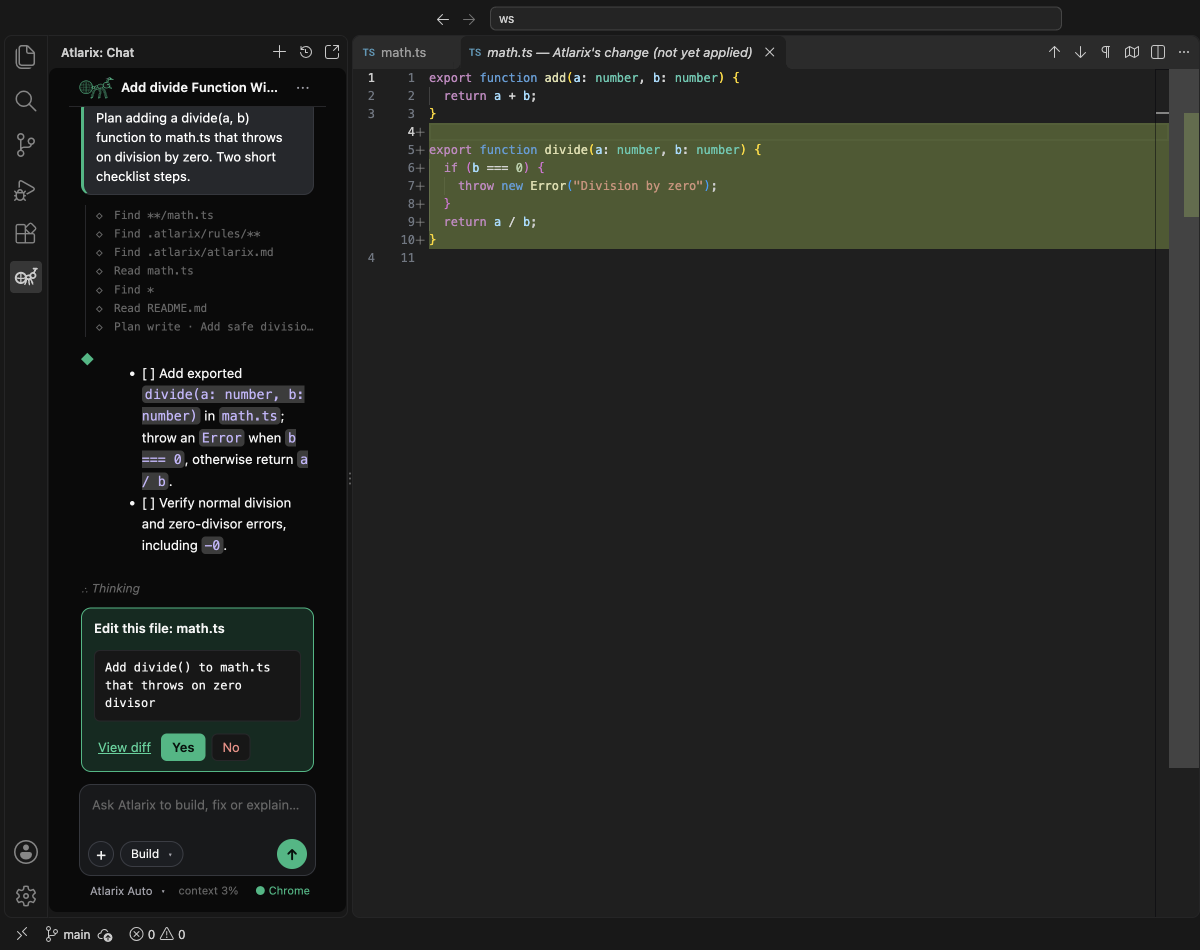
What Atlarix does in your editor
Any model, your key or ours
Atlarix Auto picks a good model for each task, Atlarix Core gives you named models, or connect your own API key for OpenAI, Anthropic, Google, DeepSeek, Z.ai, OpenRouter or a local model through Ollama. The model list is the same one the Atlarix desktop app and CLI use.
Every edit waits for you
Build mode asks before every file edit and every command. Edits open in the editor's own side-by-side diff: Yes applies, No leaves the file alone.
Plan, then build
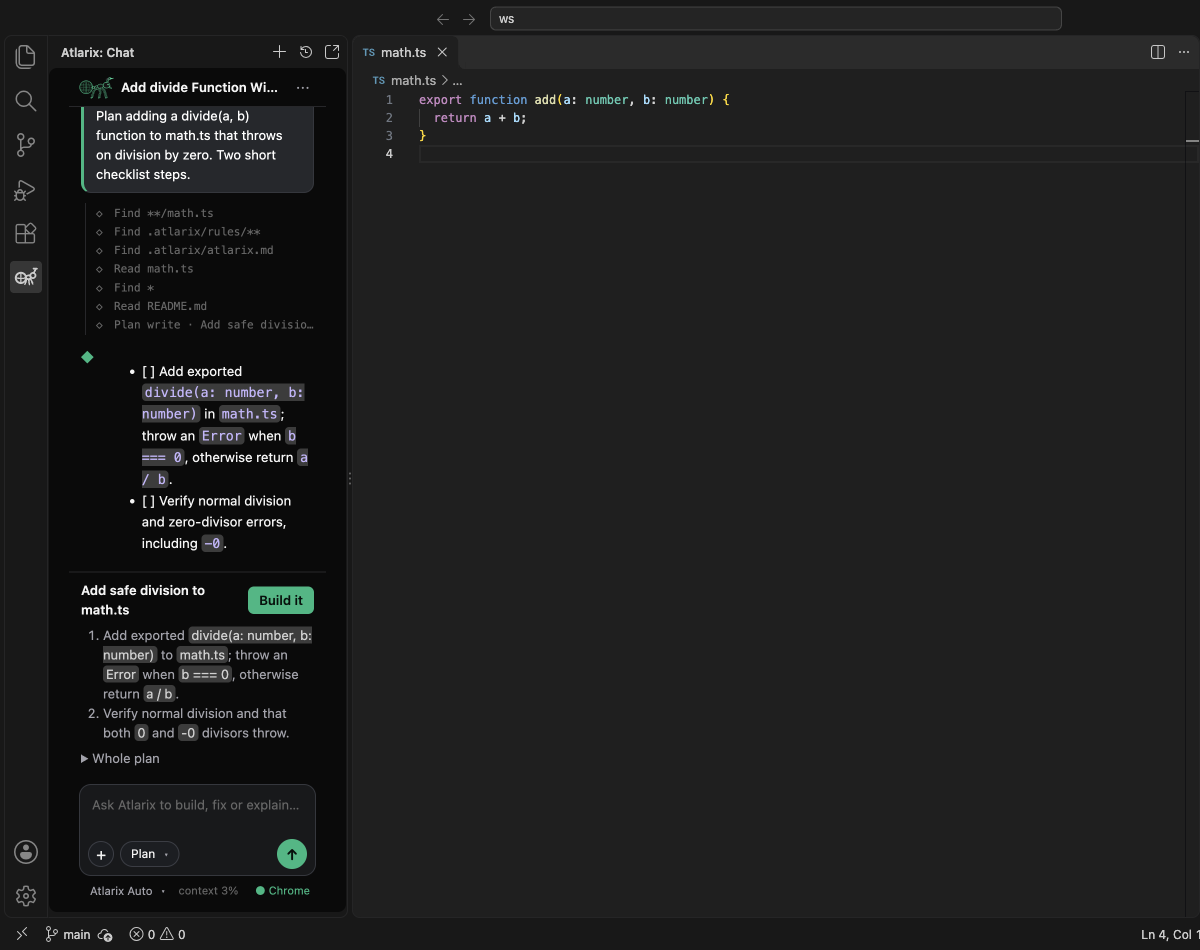
Plan mode reads your code and writes a step-by-step plan you review in the panel; Build it carries it out. Debug finds the cause before changing anything, and Review follows a change through its callers.
Your browser, too
With the Atlarix Chrome extension connected, the agent opens pages, reads them and tests your app in your own Chrome.
Context from your editor
Select code and press ⌘⌥L (Ctrl+Alt+L), type @ to add a file, or attach an image. Sessions in the app, the terminal or another editor can message this one.
Nothing else to install
The extension carries its own copy of the Atlarix CLI. Sign in with your Atlarix account and pick a mode and a model.
Prefer the terminal? Install the Atlarix CLI. Using Zed or a JetBrains IDE? Set up Atlarix in Zed and JetBrains.
Questions about Atlarix for VS Code
What is Atlarix for VS Code?
Atlarix for VS Code is an AI coding agent inside VS Code and the editors built on it, made by NorahLabs. It reads your project, plans, edits files through the editor's own diff that you approve, runs commands, and debugs and reviews code, with any model: Atlarix Auto, Atlarix Core, your own API key or a local model.
How do I install Atlarix in VS Code, Cursor, Kiro or Windsurf?
In VS Code, install Atlarix from the Visual Studio Marketplace (search Atlarix in the Extensions view). Cursor, Kiro, Windsurf and VSCodium use Open VSX: search Atlarix in their Extensions view. It is the same extension. Then open the Atlarix view (the ant in the activity bar) or press ⌘⌥A (Ctrl+Alt+A) and sign in.
Can I use my own API key in the Atlarix extension?
Yes. Any provider you connect in Atlarix, such as OpenAI, Anthropic, Google, OpenRouter, DeepSeek or Z.ai, appears in the model picker, and so do local models through Ollama. Requests made with your key go from your machine to that provider.
Is the Atlarix extension free?
The extension is free to install, and your own API key or a local model costs nothing through Atlarix. Atlarix Auto includes limited free usage; beyond that, Atlarix Pro or pay-as-you-go credit pays for Atlarix models.
Is my code sent anywhere?
Your code stays on your machine. Only what the agent reads for a task is sent to the model you chose.
Does Atlarix work in Zed, IntelliJ or PyCharm?
Yes, through the Agent Client Protocol: Zed and JetBrains IDEs run the Atlarix agent with atlarix acp. The editors guide in the Atlarix docs shows the setup.